Law
Do I need a cookie banner? A decision by tool
On this page
The short rule
No EU law says cookie banner. The law asks for consent. Art. 5(3) of the ePrivacy Directive, as amended in 2009, allows storing information on a user's device, or reading information already stored there, only after the user has given consent based on clear and comprehensive information. A banner is the usual way to ask before the first script runs.
Each member state writes Art. 5(3) into its own law. In Germany it is § 25 TDDDG, which was renamed from TTDSG to TDDDG on 14 May 2024. § 25(1) sets the consent requirement. § 25(2) has two exemptions, which follow the two exemptions in Art. 5(3).
- No. 1 covers storage or access whose sole purpose is to carry a message over a public network.
- No. 2 covers storage or access that is strictly necessary for you to provide a digital service the user explicitly asked for.
What counts as storing or reading
For a website, exemption no. 2 is the one that matters. It covers the shopping cart, the login session, a CSRF token for a form, and the language the visitor picked. It does not cover analytics, advertising or A/B testing, because the page works without them.
The rule covers any information on the device, not only cookies. localStorage, sessionStorage, IndexedDB and a script that reads device properties all fall under it. In Planet49 (C-673/17, 1 October 2019) the Court of Justice held that Art. 5(3) applies whether or not the information is personal data. The same judgment held that a pre-ticked checkbox is not valid consent.
The EDPB Guidelines 2/2023, version 2.0 of 7 October 2024, go further. They treat tracking pixels, tracking links and scripts that make the browser send device information to a server as cases of Art. 5(3).
A decision by tool
The sections below cover the tools found on most European business sites. Each one says what the tool does on the device and which rule applies. For some tools the device rule is not the whole question, because the request to a third-party server already hands over the visitor's IP address. The GDPR then applies as well.
Tools and the rule that applies
| Tool | What happens on the device | Consent under Art. 5(3) |
|---|---|---|
| Google Analytics 4 | Sets the cookies _ga and _ga_<container-id> | Yes |
| Google Fonts from Google's servers | Loads fonts from fonts.gstatic.com and sends the IP address | Not the core issue, the GDPR applies |
| Embedded YouTube and Google Maps | Loads content and scripts from Google when the page opens | Yes, once anything is stored or read |
| Matomo without cookies | Its script reads browser features | Open, no exemption for audience measurement |
| Google Tag Manager | Loads other tags | Depends on the tags in the container |
Google Analytics
According to Google's help page on cookie usage, GA4 sets two first-party cookies on websites. _ga tells users apart and _ga_<container-id> keeps the session state. Both expire after two years by default. A property linked to Google Ads adds advertising cookies.
A visitor does not need an analytics ID that recognises them for two years to read your page. Exemption no. 2 does not apply, so GA4 may only set its cookies after consent.
Google Consent Mode changes when the Google tag loads and what it sends before the decision. In Advanced mode it sends cookieless pings first. Consent Mode: Basic or Advanced? explains what each mode transmits, and GA4 cookie consent covers the banner side.
Google Fonts
Google Fonts is the case where a banner helps least. If your site loads fonts through fonts.googleapis.com, the browser contacts Google's servers on every page view. That request gives Google the visitor's IP address before any banner has been answered.
On 20 January 2022 the Regional Court of Munich I (case 3 O 17493/20) ruled that passing the IP address to Google this way, without consent, violated the plaintiff's general right of personality in the form of informational self-determination. The court decided under the right of personality and the GDPR, not the device rule. It rejected legitimate interest under Art. 6(1)(f) GDPR because Google Fonts can be used without any connection to Google. It awarded the plaintiff 100 euros in damages under Art. 82 GDPR and ordered the site owner to stop sending his IP address to Google.
This is one regional court deciding one case, not a ruling from a supreme court. The technical point holds anyway. If the font files sit on your own server, no request goes to Google and the question never comes up. Self-hosted fonts need neither a banner nor consent.
YouTube and Maps
An embedded YouTube video or Google Maps map is an iframe. When the page opens, it loads content and scripts from Google, so the IP address and browser data reach Google before the visitor clicks anything. What the embedded scripts then store on the device is decided by Google, not by you.
YouTube's help page describes privacy-enhanced mode on youtube-nocookie.com as embeds whose views do not influence the viewer's YouTube experience. The page does not say that nothing is stored on the device. A scan of your page shows whether your embed stores anything.
The common fix is a placeholder, so the iframe loads only after the visitor agrees. With the Limes cookie banner you give the iframe data-limes-category and move its address to data-src. Until consent is given, Limes shows a placeholder in its place with a button that allows that one category.
Without consent to marketing, the iframe stays empty and Limes shows the placeholder.
<iframe
  data-limes-category="marketing"
  data-src="https://www.youtube-nocookie.com/embed/VIDEO_ID"
  width="560" height="315"></iframe>
Matomo without cookies
Matomo can run with disableCookies. Tracking continues, only without a cookie. To link the actions of one visit, Matomo computes a config_id. The Matomo FAQ on the config_id says it is built from the operating system, browser, browser plugins, IP address and browser language, and that it lasts at most 24 hours.
For Art. 5(3), the relevant part is that the Matomo script reads features such as supported plugins from the browser. That is reading information from the device, which the EDPB Guidelines 2/2023 treat as covered. Since version 4.7 you can turn this off with disableBrowserFeatureDetection.
Neither the directive nor § 25 TDDDG has an exemption for audience measurement. In November 2025 the European Commission proposed an exemption for aggregated audience measurement in the Digital Omnibus, but it has not been adopted. Digital Omnibus and cookies tracks where the procedure stands. As of November 2026, no federal court in Germany has decided whether cookieless, self-hosted measurement without feature detection is strictly necessary under no. 2. If you plan to run Matomo without a banner, that assessment goes to your data protection officer.
Tag Manager
Google Tag Manager is a container. It loads gtm.js from www.googletagmanager.com and then fires the tags you set up in it. The tags decide whether you need consent, not the container. If the container holds GA4 or an advertising pixel, the rule for that tool applies.
According to Google's help page on consent mode in Tag Manager, Google tags such as Analytics and Ads have built-in consent checks. For other tags you set, under Advanced Settings and Consent Settings, which consent types must be granted before the tag fires.
Loading gtm.js also sends the IP address to Google. That is why Limes, in Basic mode, loads your container only after consent to statistics or marketing.
When you do not need a banner
You do not need a banner if your site only stores and reads what is strictly necessary for the service the visitor asked for, and sends no request to third parties that transfers data before a decision. A site like that usually meets all of these points:
- Cookies only for the cart, the login or form protection, each triggered by the visitor.
- Fonts, icons and scripts served from your own server instead of Google Fonts or a third-party CDN.
- No embedded videos, maps or social widgets, or only behind a placeholder that loads on click.
- No analytics, no advertising pixels and no Tag Manager that loads such tags.
How to check your site
The documentation of a theme or plugin rarely lists everything a site loads. A plugin update adds a script, an agency adds a pixel. The only reliable check runs in the browser, before and after the decision.
- Open your site in a private window and do not click anything.
- Open the developer tools and go to Application or Storage. Write down every cookie and every entry in localStorage and sessionStorage.
- Reload the page with the Network tab open. Write down every host that is not your own domain, such as fonts.gstatic.com or www.googletagmanager.com.
- Match each entry to a tool and run through the decision above for that tool.
- Repeat the check after rejecting and after accepting. After a rejection, nothing optional should appear.
Repeat the check automatically
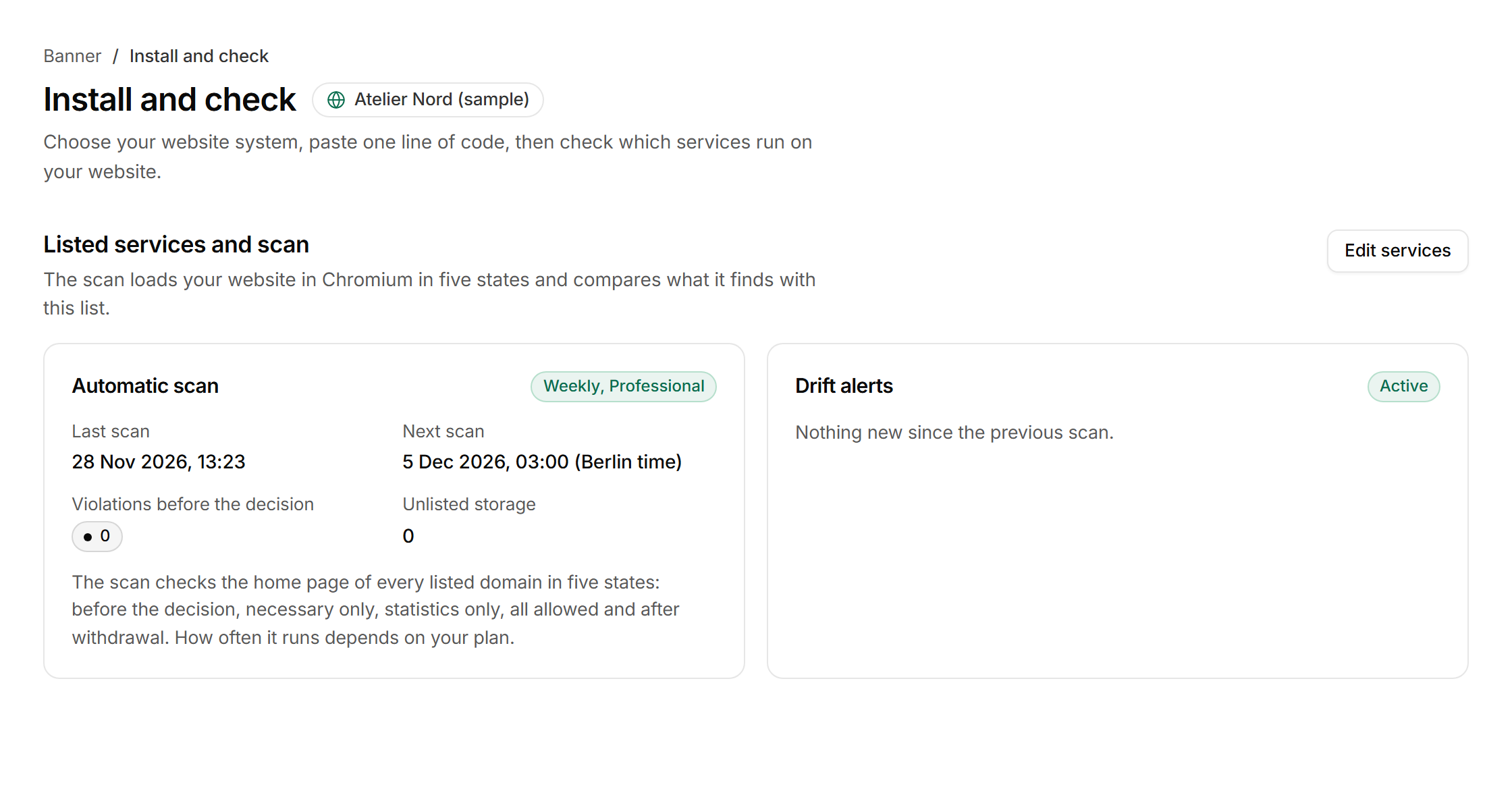
The Limes cookie scanner runs the same check in a real Chromium browser. It opens your page in five states, applies each choice through the Limes API, and records cookies, localStorage, sessionStorage, IndexedDB and the third-party hosts requested in each state. The four states after the choice need the Limes banner on the page. The scanner only sees public pages, and it cannot see data your server sends to third parties directly.
On the Free plan Limes scans one domain monthly, on Professional weekly, and from Business daily. The free cookie banner page lists what else the Free plan includes, and pricing has every plan. For the German rules in detail, see TDDDG cookie consent.
Frequently asked questions
Do I need a cookie banner if I only use strictly necessary cookies?
No. Art. 5(3) of the ePrivacy Directive and § 25(2) no. 2 TDDDG exempt storage that is strictly necessary to provide a service the user explicitly asked for. Check that every cookie really belongs there. An analytics cookie is not strictly necessary, even if a plugin labels it that way.
Is a notice with a single OK button enough?
Not where consent is required. Under Art. 4(11) GDPR consent must be freely given. The EDPB Guidelines 05/2020 on consent say consent is not freely given when the data subject has no real choice. A banner with only an OK button offers no way to refuse. For pre-ticked checkboxes, the Court of Justice ruled in Planet49 that they are not consent. A notice shown after tracking has already started collects no consent.
Do I need a cookie banner for Google Fonts?
Not if you host the fonts yourself. If they load from Google's servers, the visitor's IP address goes to Google on page load. On 20 January 2022 the Regional Court of Munich I treated that, without consent, as a GDPR violation (case 3 O 17493/20).
What are the fines for a missing cookie banner in Germany?
Storing or reading information on a device without consent is an administrative offence under § 28(1) no. 13 TDDDG. § 28(2) TDDDG sets a fine of up to 300,000 euros for it. GDPR sanctions apply on top for processing the data afterwards.
Does the rule cover localStorage and tracking pixels?
Yes. Art. 5(3) speaks of information stored in the terminal equipment, not of cookies. The EDPB Guidelines 2/2023 name tracking pixels and tracking links as cases that fall under it.
Sources
- Directive 2002/58/EC (Directive on privacy and electronic communications)(opens in a new tab) Original text of 2002. Art. 5(3) then required only information and a right to refuse.
- Directive 2002/58/EC, consolidated version of 19 December 2009(opens in a new tab) Art. 5(3) with the consent requirement added by Directive 2009/136/EC.
- Directive 2009/136/EC(opens in a new tab) Amends Art. 5(3) of Directive 2002/58/EC and introduces consent.
- § 25 TDDDG, Schutz der Privatsphäre bei Endeinrichtungen(opens in a new tab) The German version of Art. 5(3). Consent in para. 1, exemptions in para. 2 no. 1 and no. 2.
- § 28 TDDDG, Bußgeldvorschriften(opens in a new tab) Para. 1 no. 13 and the 300,000 euro cap in para. 2.
- Judgment C-673/17, Planet49(opens in a new tab) A pre-ticked checkbox is not consent, and Art. 5(3) applies whether or not the data is personal.
- Guidelines 2/2023 on Technical Scope of Art. 5(3) of ePrivacy Directive, Version 2.0(opens in a new tab) Tracking pixels, tracking links, IP-based tracking and local processing.
- Regulation (EU) 2016/679 (GDPR)(opens in a new tab) Art. 4(11) on consent, Art. 13 on information duties.
- Guidelines 05/2020 on consent under Regulation 2016/679(opens in a new tab) Freely given consent and whether the data subject has a real choice.
- [GA4] Cookie usage on websites(opens in a new tab) The cookies _ga and _ga_<container-id> with a two-year lifetime.
- Embed videos and playlists(opens in a new tab) Privacy-enhanced mode on youtube-nocookie.com.
- Tag Manager consent mode support(opens in a new tab) Built-in and additional consent checks for tags.