Starter
Match your brand
€9 per month, billed annually
- 25,000 sessions a month included
- 1 domain, subdomains included
Everything in Free, plus:
- No "Powered by Limes" badge
- Custom CSS
- 3 banner languages
- Proofs kept for 3 years
- Proof export (CSV)
Features
Integrations
By use case
By team
Compliance
Comparisons
Help
Cookie banner editor
Set position, colors, copy and logo in the browser. Before you publish, Limes checks contrast, equal accept and reject buttons and opt-in in GDPR regions.
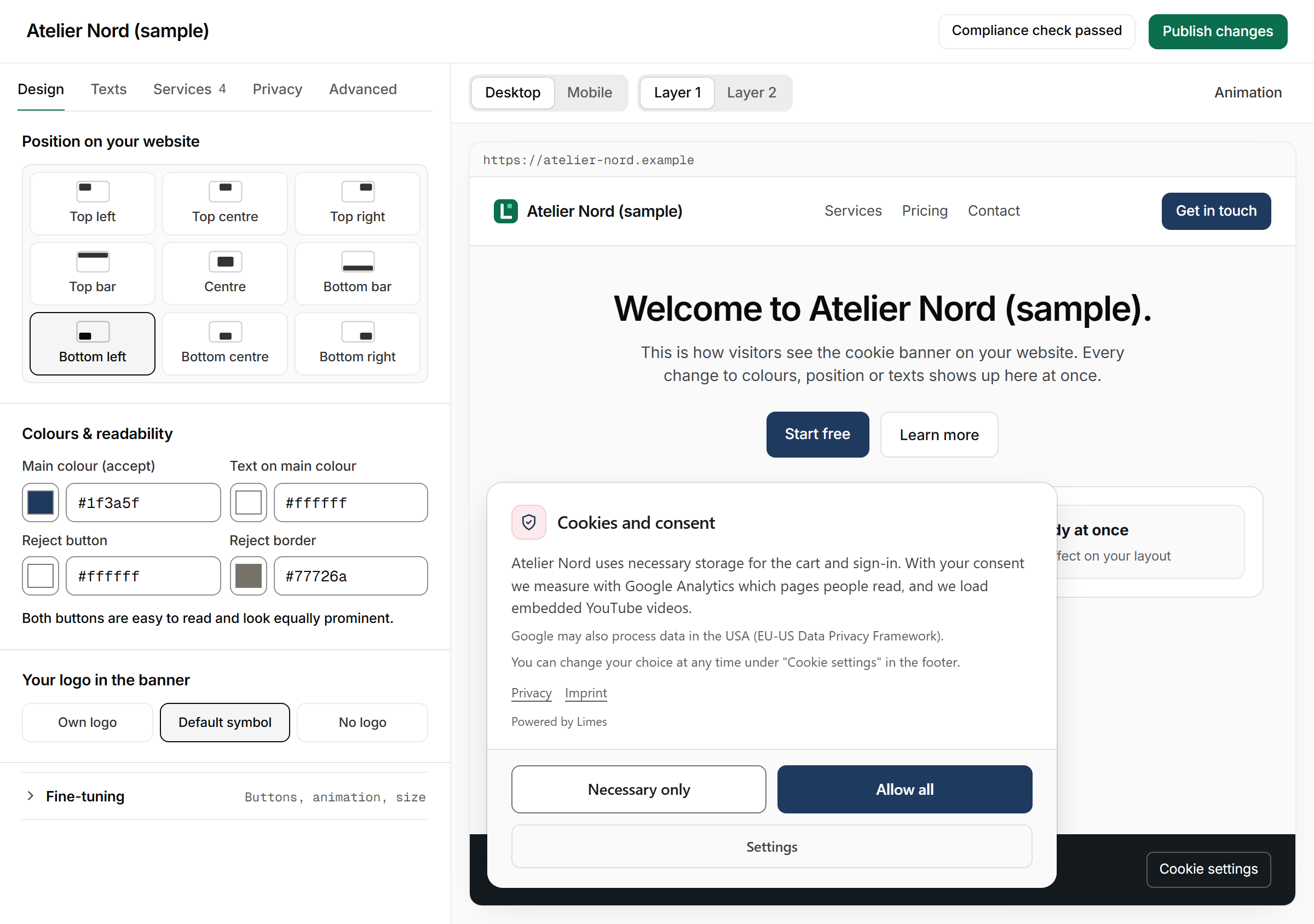
Compliance check
Limes runs the same check on every publish. A banner that fails it does not go live.
Accept and reject share size, fill and weight. Limes measures text contrast and the reject button against the banner, flags pressure wording and blocks opt-out in GDPR regions.
Compliance check
Marked scripts and iframes load after the visitor allows their category. Change a script to type="text/plain" and add data-limes-category. Blocked iframes show a placeholder with a button that allows that one category.
How it works
Design with desktop and mobile previews, pass the check, then add one script tag to your site.
Choose layout, accent color and logo, then add the tools you use, such as Google Analytics or Google Ads.
Limes checks contrast, wording and defaults. When the check passes, you can publish.
Paste it into WordPress, Shopify, Webflow, Wix, Squarespace or plain HTML. Each platform has a guide.
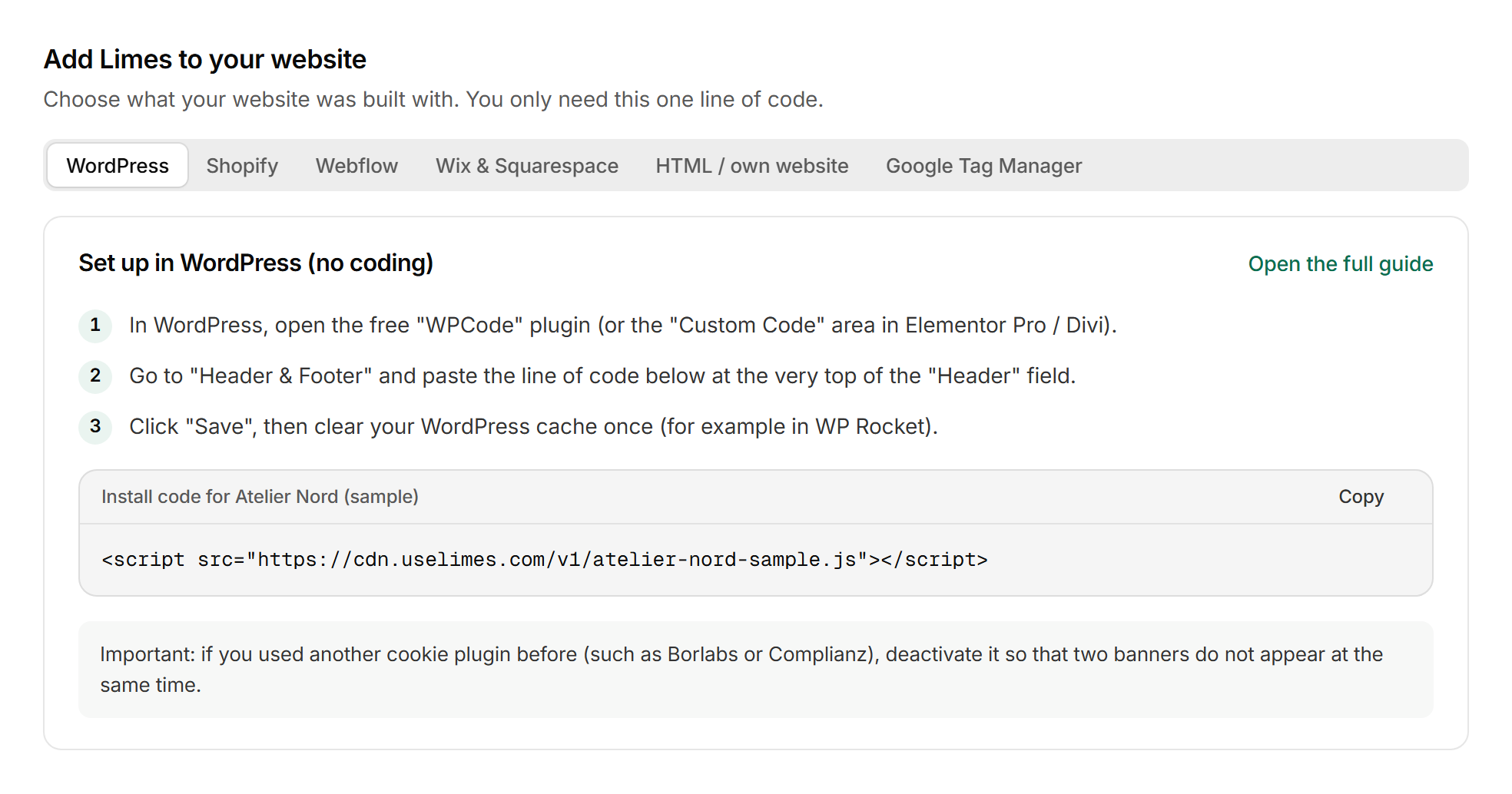
Each row runs on every publish.
| Criterion | Limes | Manual review |
|---|---|---|
| Button parity | Checked on every publish | Checked once, then forgotten |
| Contrast | Ratio computed | Judged by eye |
| Withdrawal | Deletes matching cookies | Often stops only future scripts |
| Free tier | 2,500 sessions per month, 1 domain | Not applicable |
Each line below matches what the code does today.
Google Consent Mode and Microsoft UET stay denied until the visitor opts in. Pre-ticked boxes fail the check.
Reject and accept appear together with the same size and contrast.
When a visitor withdraws consent from the footer link, Limes deletes the matching cookies.
Limes enforces the technical and design rules. Your privacy policy still needs a legal review.
The check measures contrast and size. A layout you change with custom CSS needs your own review.
Professional and higher plans ship a beta __tcfapi without a TC string. It is not a certified TCF CMP.
Prices per month on annual billing, excluding VAT. Free covers 2,500 sessions.
Match your brand
€9 per month, billed annually
Everything in Free, plus:
Raise your consent rate
€29 per month, billed annually
Everything in Starter, plus:
Govern many domains
€89 per month, billed annually
Everything in Professional, plus:
Yes. Limes runs on any site through one script tag in the head. The guides cover WordPress, Shopify, Webflow, Wix and Squarespace.
Yes. Set position, colors, corner radius and logo in the browser and check the desktop and mobile preview. Starter adds custom CSS.
Yes. Free covers 1 domain and 2,500 sessions per month with no payment details. It shows a Powered by Limes badge.
For Google tags, no: Consent Mode v2 handles them. For other scripts, change the type to text/plain and add data-limes-category, and Limes runs them after consent.
Free up to 2,500 sessions per month.